

Quick Answer
The best project management software for 2026 is Celoxis — the top-rated enterprise PPM platform offering real-time portfolio analytics, smart resource management, and end-to-end project tracking. For smaller teams, Asana, Monday.com, and ClickUp are strong alternatives depending on your workflow.
We evaluated 30+ tools across features, scalability, pricing, user reviews (G2, Capterra), and value-for-money. Here are the 10 best project management software tools for 2026.
Quick Comparison: Top 10 Project Management Software (2026)
| Tool | Best For | Starting Price | G2 Rating | Free Trial |
|---|---|---|---|---|
| Celoxis ⭐ | Enterprise PPM & Portfolio Management | $10/user/mo | 4.5/5 | 14 days |
| Monday.com | Visual Work Management | $9/user/mo | 4.7/5 | 14 days |
| Asana | Cross-Team Collaboration | $10.99/user/mo | 4.3/5 | 30 days |
| ClickUp | AI-Powered All-in-One | $7/user/mo | 4.7/5 | Free plan |
| Wrike | Creative & Marketing Teams | $9.80/user/mo | 4.2/5 | 14 days |
| Jira | Software Development | $8.15/user/mo | 4.3/5 | Free plan |
| Microsoft Project | Complex Schedule Management | $10/user/mo | 4.0/5 | 30 days |
| Trello | Simple Kanban Workflows | $5/user/mo | 4.4/5 | Free plan |
| Smartsheet | Spreadsheet-Style PM | $9/user/mo | 4.4/5 | 30 days |
| Zoho Projects | Budget-Friendly SMB | $3.38/user/mo | 4.3/5 | 10 days |
1. Celoxis — Best Enterprise Project & Portfolio Management Software
Best for: Mid-to-large enterprises needing end-to-end PPM, resource management, financial tracking, and real-time analytics across multiple projects and portfolios.
Celoxis is a comprehensive enterprise project management and project portfolio management (PPM) software trusted by organizations across industries including IT, professional services, Healthcare, engineering, manufacturing, and financial services. It is purpose-built to manage the full complexity of large-scale, multi-project environments — from initial planning and resource allocation to financial control and executive-level reporting.
Unlike general-purpose tools that require heavy customization to handle enterprise workloads, Celoxis delivers deep PM functionality out of the box. Its unified platform eliminates the need for multiple disconnected tools — combining project scheduling, resource management, time tracking, budget tracking, risk management, and portfolio analytics in a single, intuitive interface.
With Celoxis, PMOs and project leaders gain the visibility, control, and intelligence they need to consistently deliver projects on time and within budget.

Celoxis dashboard showing real-time project portfolio, resource utilization, and financial tracking
“With Celoxis, you’re not just managing projects — you’re managing performance, profitability, and the strategic direction of your entire portfolio.”
Why Celoxis Ranks #1 in 2026
1. Advanced Project Portfolio Management (PPM)
Celoxis provides true portfolio-level visibility — enabling PMOs and executives to track the health, progress, and financial performance of every project from a single dashboard. Portfolio managers can easily prioritize initiatives, identify at-risk projects, and align project investments with organizational strategy. No other tool in this price range offers this depth of PPM capability.
2. Smart Resource Management & Workload Balancing
One of Celoxis’s most powerful differentiators is its intelligent resource management engine. It tracks resource availability, skills, demand, and utilization across all projects simultaneously — helping managers allocate the right people to the right tasks without creating bottlenecks or burnout. Visual workload heatmaps make it easy to spot over- and under-allocation at a glance and make adjustments in real time.
3. 360° Real-Time Reporting & Dashboards
Celoxis delivers unmatched reporting depth with fully customizable dashboards and a powerful reporting engine. Project managers, PMO leads, and executives each get role-specific views — from task-level progress to portfolio-level financials. Reports can be scheduled, shared, and drilled into for root-cause analysis. This makes Celoxis especially valuable for organizations that need to demonstrate project ROI to stakeholders.
4. Financial & Budget Tracking
Celoxis includes built-in project financial management — covering budgets, actuals, forecasts, earned value analysis (EVM), and profitability tracking. Teams can set billing rates, log expenses, and compare planned vs. actual costs in real time. This level of financial control is typically only found in expensive, standalone PPM platforms.
5. Intelligent Project Planning & Gantt Scheduling
Celoxis offers dynamic Gantt charts with automated scheduling, task dependencies, critical path analysis, and baseline comparisons. Project plans update automatically when tasks shift, keeping schedules accurate without manual intervention. The platform supports complex project structures with sub-projects, milestones, and multi-level hierarchies.
6. Risk & Issue Management
Track, assess, and mitigate risks proactively with Celoxis’s built-in risk register and issue tracking. Assign risk owners, define mitigation plans, and monitor risk status across your portfolio — all within the same platform you use for project execution.
7. Enterprise-Grade Security & Scalability
Celoxis is built for the enterprise: available as both SaaS and on-premise (U.S. and EU data centers), with role-based access controls, SSO, audit logs, and enterprise-grade data security. The platform scales effortlessly from 10 to 1,000+ users without performance degradation.
Celoxis connects with the tools your teams already use: QuickBooks, Salesforce, Jira, Slack, Google Workspace, Microsoft 365, Zapier, and more — enabling data to flow across your tech stack without duplication or manual sync.
Celoxis vs. the Competition
vs. Monday.com: Celoxis offers deeper PPM, resource management, and financial tracking. Monday.com is more visual and easier to adopt but lacks enterprise portfolio depth.
vs. Asana: Celoxis provides stronger resource and budget management. Asana is excellent for team collaboration but not purpose-built for complex multi-project environments.
vs. Microsoft Project: Celoxis delivers comparable scheduling power with a modern UX, cloud-native architecture, and built-in collaboration — without the steep learning curve of MS Project.
vs. Wrike: Celoxis wins on portfolio analytics, resource planning, and financial management. Wrike is strong for creative workflows and content proofing.
Celoxis — Key Features Summary
- Project portfolio management (PPM) with strategic alignment
- Advanced resource management with workload heatmaps
- Dynamic Gantt charts with critical path and baseline
- Budget, cost, and earned value tracking
- Customizable dashboards and scheduled reports
- Risk register and issue tracking
- Time tracking and timesheets with approval workflows
- Project templates and workflow automation
- SaaS + on-premise deployment options
- Enterprise SSO, RBAC, and audit trails
- Integrations: QuickBooks, Salesforce, Jira, Slack, MS365, Zapier
Pricing: Starts at $10/user/month (billed annually). View full pricing.
Related: What is PPM Software? | Best Enterprise PM Software | Best Resource Management Software
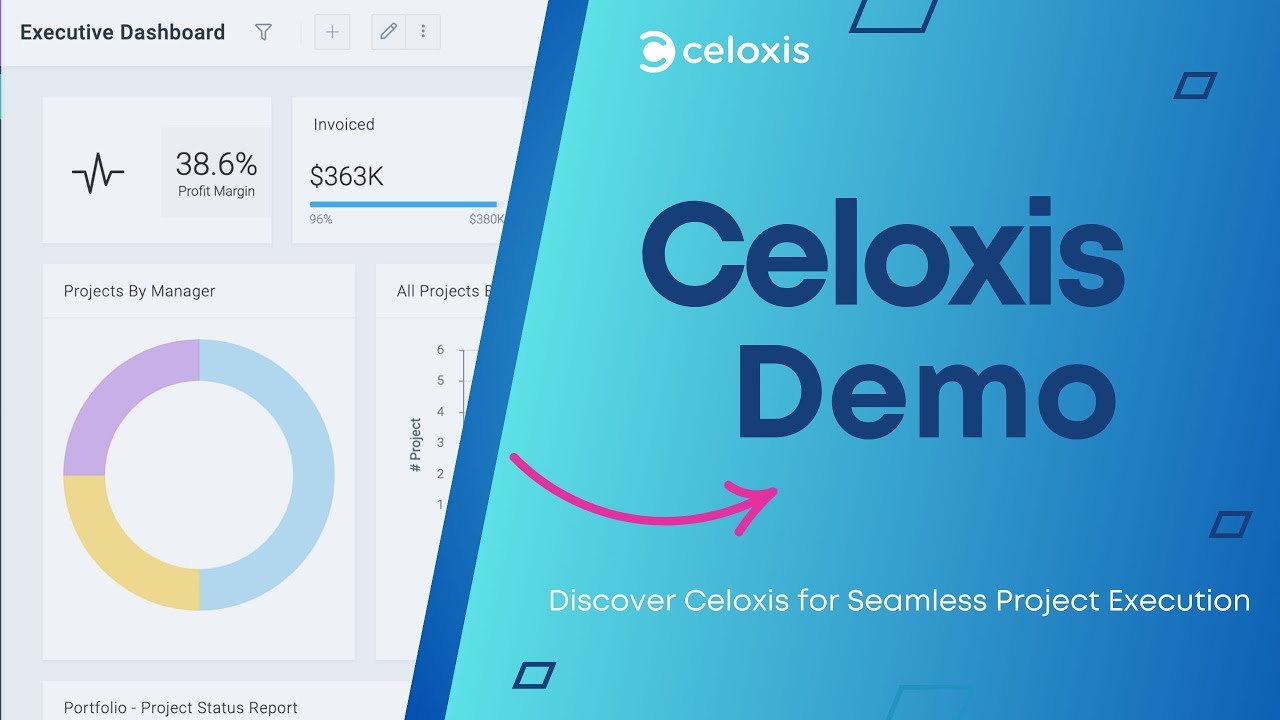
Watch how Celoxis helps teams manage projects, resources, and portfolios in one unified platform
2. Monday.com — Best for Visual Work Management
Best for: Teams that need a highly visual, flexible workspace for managing tasks, projects, and workflows without a steep learning curve.
Monday.com is one of the most popular work management platforms in 2026, known for its colorful, drag-and-drop interface and adaptability across different team types. It excels at giving teams immediate visual clarity on project status, deadlines, and ownership. Its building-block approach lets you start simple and add complexity as your workflows grow.

Monday.com visual dashboard with task boards, timelines, and workflow tracking
Key Features
- Visual boards with multiple views: Kanban, Gantt, Calendar, Timeline, and Workload
- 200+ pre-built workflow templates for marketing, HR, sales, and more
- No-code automation to eliminate repetitive tasks
- Monday AI for task summarization, formula generation, and risk detection
- 250+ integrations including Slack, Salesforce, HubSpot, and Jira
- Work OS architecture — customizable for almost any business process
Where it falls short: Monday.com lacks deep resource management, earned value tracking, and true PPM capabilities. For enterprise-level portfolio management, Celoxis is a stronger fit.
Pricing: From $9/user/month (Basic). Free trial available.
3. Asana — Best for Cross-Functional Team Collaboration
Best for: Non-technical teams and large organizations looking for intuitive task management and cross-department project coordination.
Asana has established itself as a leading work management platform for teams that prioritize clarity, communication, and goal alignment. Its strength lies in linking day-to-day tasks to broader organizational goals — giving everyone, from individual contributors to executives, a clear picture of how their work connects to company priorities.

Asana dashboard with project timelines, tasks, and cross-team collaboration views
Key Features
- Goals and milestones linked directly to tasks and projects
- Multiple project views: List, Board, Timeline (Gantt), Calendar, and Workload
- Asana AI for smart task summaries, project status drafts, and risk identification
- Workflow builder with custom rules, forms, and approvals
- Portfolios and workload views (Premium and above)
- 300+ integrations including Slack, Google Workspace, and Salesforce
Where it falls short: Resource management and budget tracking are limited compared to dedicated PPM tools like Celoxis. Reporting can feel shallow for enterprise PMO needs.
Pricing: From $10.99/user/month (Starter, billed annually). Free plan available.
4. ClickUp — Best AI-Powered All-in-One Workspace
Best for: Teams that want a single platform to replace multiple tools — combining project management, docs, whiteboards, goals, and time tracking in one AI-powered workspace.
ClickUp has rapidly grown into one of the most feature-rich project management tools available. Its “everything app” philosophy means you can replace your task manager, note-taking tool, wiki, and time tracker with a single platform. ClickUp Brain, its native AI assistant, helps users draft project briefs, summarize tasks, generate subtasks, and automate routine work.

ClickUp workspace with tasks, documents, dashboards, and AI-powered project views
Key Features
- ClickUp Brain AI: task creation, summaries, action items, and automated standups
- 15+ project views including Gantt, Mind Map, Workload, and Sprints
- Built-in Docs, Whiteboards, and goal tracking
- Native time tracking and resource management
- Custom fields, automations, and no-code workflows
- 1,000+ integrations
Where it falls short: ClickUp’s vast feature set comes with a steep learning curve. Portfolio-level financial management and enterprise-grade resource planning are not as mature as Celoxis.
Pricing: Free plan available. Paid plans from $7/user/month (Unlimited, billed annually).
5. Wrike — Best for Enterprise Marketing & Creative Teams
Best for: Enterprise marketing operations, creative agencies, and teams that manage high volumes of content, reviews, and approvals alongside standard project tasks.
Wrike is a powerful project management and work management platform that stands out for its advanced content proofing, custom workflows, and robust reporting. It is particularly well-suited for marketing teams managing campaigns, creative production, and client delivery simultaneously. Its high degree of customizability allows teams to tailor the platform to their exact processes.
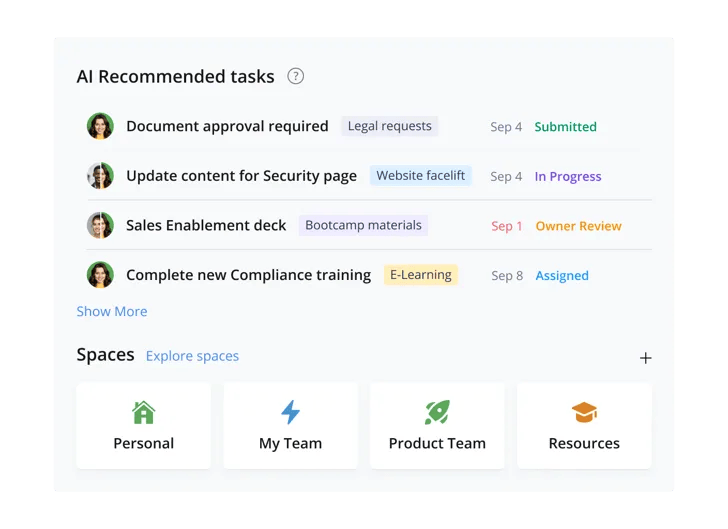
Wrike dashboard with campaign workflows, content approvals, and project tracking
Key Features
- Wrike Proof — built-in visual proofing and annotation for creative assets
- Custom request forms, workflow automations, and approval chains
- Real-time dashboards and cross-project reporting
- Resource management with workload charts
- Wrike Integrate for 400+ native and no-code integrations
- AI-powered risk prediction and project status automation
Where it falls short: Wrike’s advanced features are locked behind higher-tier plans. Financial tracking and true PPM are more limited than Celoxis.
Pricing: From $9.80/user/month (Team, billed annually).
6. Jira — Best for Software Development Teams
Best for: Agile software development teams using Scrum or Kanban, and organizations managing product backlogs, sprints, and bug tracking.
Jira by Atlassian remains the industry standard for software development project management. Its deep support for agile methodologies — Scrum boards, sprint planning, backlog management, and velocity tracking — makes it the go-to tool for engineering and product teams. Jira also integrates natively with Confluence (documentation), Bitbucket (code), and hundreds of developer tools.

Jira agile dashboard with sprint boards, backlog tracking, and issue management
Key Features
- Scrum and Kanban boards with sprint planning and backlog prioritization
- Advanced roadmaps for multi-team planning and dependency visualization
- Automation for repetitive workflows and notifications
- Bug and issue tracking with custom fields and workflows
- Integration with GitHub, GitLab, Bitbucket, Confluence, and 3,000+ apps
- Jira AI for summarizing issue history and generating automation rules
Where it falls short: Jira is not well-suited for non-technical teams. Resource management and financial tracking capabilities are minimal. For cross-functional enterprise PM, Celoxis offers broader coverage.
Pricing: Free plan available (up to 10 users). From $8.15/user/month (Standard, billed annually).
7. Microsoft Project — Best for Complex Schedule Management
Best for: Organizations already in the Microsoft 365 ecosystem managing highly complex, schedule-intensive projects that require detailed Gantt scheduling and EVM.
Microsoft Project has been the benchmark for enterprise project scheduling for decades. Its strengths lie in complex Gantt chart creation, critical path analysis, and earned value management — capabilities that project managers in construction, engineering, and large IT projects rely on. The cloud-based version (Project for the Web) brings easier collaboration while retaining scheduling depth.

Microsoft Project Gantt chart with task dependencies, timelines, and scheduling views
Key Features
- Advanced Gantt charts with dependencies, baselines, and critical path
- Earned Value Management (EVM) and cost variance tracking
- Resource leveling and demand management
- Roadmaps for cross-project visibility (requires Project Online/Plan 3+)
- Deep integration with Microsoft 365, Teams, and Power BI
- Portfolio management and scenario analysis (Project Online)
Where it falls short: Steep learning curve, legacy UI, and limited collaboration features compared to modern tools. Expensive at scale. Celoxis offers comparable scheduling with a far better user experience and no hidden complexity.
Pricing: From $10/user/month (Project Plan 1).
8. Trello — Best for Simple Kanban Workflows
Best for: Small teams, freelancers, and individuals who need a quick, visual way to track tasks without complexity or setup time.
Trello is the most beginner-friendly project management tool on this list. Its card-and-board Kanban interface is intuitive enough to start using in minutes — making it popular for personal projects, content pipelines, and simple team task tracking. Power-Ups (integrations) extend its capabilities, though it remains fundamentally a lightweight tool.
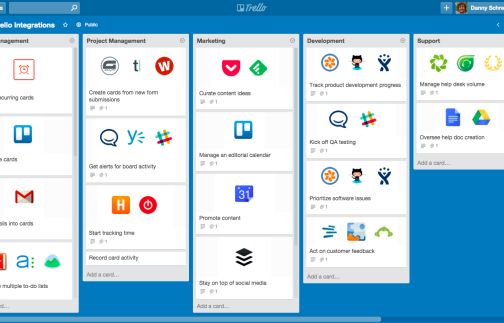
Trello Kanban board with task cards, lists, and workflow tracking
Key Features
- Drag-and-drop Kanban boards with customizable card fields
- Multiple views: Board, Timeline, Calendar, Table, and Map
- Butler automation for rule-based card actions
- Power-Ups for integrations with Slack, Google Drive, Jira, and more
- Mobile apps for iOS and Android
- Templates library for common use cases
Where it falls short: Trello is not designed for complex project management. No native Gantt charts, resource management, budgeting, or reporting. Grows difficult to manage at scale.
Pricing: Free plan available. From $5/user/month (Standard, billed annually).
9. Smartsheet — Best Spreadsheet-Style Project Management
Best for: Teams comfortable with spreadsheets who need something more powerful than Excel for project tracking, without moving to a fully complex PM tool.
Smartsheet bridges the gap between spreadsheets and project management software. Its grid-based interface feels familiar to Excel users while adding collaborative, automation, and workflow features that plain spreadsheets lack. It is widely used in operations, construction, and business planning — wherever structured, data-heavy project tracking is needed.

Smartsheet grid interface with project tracking, automation workflows, and reporting dashboards
Key Features
- Grid, Gantt, Card, and Calendar views built on a spreadsheet-style foundation
- Automated workflows, alerts, and approval requests
- Dashboards for real-time data visualization and reporting
- Portfolio-level summary sheets and cross-sheet reporting
- Resource management with capacity planning
- Integrations with Microsoft 365, Google Workspace, Salesforce, and Jira
Where it falls short: The interface can feel clunky for non-spreadsheet users. Collaboration features are not as fluid as purpose-built PM tools. Lacks the depth of financial tracking available in Celoxis.
Pricing: From $9/user/month (Pro, billed annually). 30-day free trial available.
10. Zoho Projects — Best Budget-Friendly Project Management Software
Best for: Small to mid-sized businesses looking for an affordable, feature-rich PM tool — especially those already using other Zoho products.
Zoho Projects offers one of the best value-for-money propositions in the project management software market. It packs task management, Gantt charts, time tracking, issue tracking, and team collaboration into a clean interface at a price point that outperforms most competitors. It integrates seamlessly across the broader Zoho ecosystem (CRM, Books, Desk) — making it particularly attractive for SMBs standardizing on Zoho.

Zoho Projects interface with task tracking, timelines, and team collaboration features
Key Features
- Gantt charts with task dependencies and critical path
- Built-in time tracking and timesheets with billing
- Issue and bug tracking with workflow automations
- Milestone mapping and project templates
- Document management and team feeds
- Integration with Zoho CRM, Zoho Books, Slack, Google Workspace, and more
Where it falls short: Reporting and resource management are less advanced than enterprise tools. Not ideal for large-scale portfolio management or organizations with complex cross-project dependencies.
Pricing: From $3.38/user/month (Premium, billed annually). 10-day free trial.
How to Choose the Right Project Management Software in 2026
With dozens of tools on the market, choosing the right project management software depends on several key factors:
1. Team size and organizational complexity
Small teams (<10 people) can often get away with Trello, ClickUp Free, or Asana’s Starter plan. Mid-size and enterprise teams managing multiple simultaneous projects need a platform like Celoxis that provides portfolio-level oversight, resource balancing across projects, and financial tracking.
2. Project type and methodology
Software development teams benefit most from Jira’s agile-first design. Creative and marketing teams will appreciate Wrike’s proofing tools. Organizations managing complex, schedule-driven projects — infrastructure, construction, professional services — will find the most value in Celoxis or Microsoft Project.
3. Resource and financial management needs
If your organization needs to track project budgets, manage resource utilization across portfolios, and report on financial performance, only a purpose-built PPM platform like Celoxis will meet those needs. Most general-purpose tools fall short here.
4. Integration with your existing tech stack
Check whether the tool integrates natively with your ERP, CRM, accounting software, and communication platforms. Celoxis integrates with QuickBooks, Salesforce, Jira, Slack, and Microsoft 365 — covering most enterprise tech stacks.
5. Scalability
Choose a platform that grows with you. A tool that works at 20 users should still work well at 500. Celoxis is specifically designed for enterprise scale — maintaining performance and usability as your project portfolio and team grow.
Conclusion: What is the Best Project Management Software for 2026?
After evaluating 30+ tools, Celoxis stands out as the best project management software for enterprises in 2026 — offering the broadest combination of project scheduling, portfolio management, resource intelligence, financial tracking, and reporting in a single platform. It delivers enterprise-grade power without the complexity and cost of legacy PPM systems.
For teams with simpler needs, Monday.com, Asana, and ClickUp offer excellent collaboration features at accessible price points. Software teams will continue to find Jira indispensable. And for organizations already deep in Microsoft’s ecosystem, Microsoft Project remains a solid choice.
But if your goal is to manage multiple projects, teams, and budgets strategically — with real-time visibility and accountability at every level — Celoxis is the clear choice.


Comments
1 responseWork management software is a digital tool that allows you to plan, track, organize, and review both projects and non-project tasks with the goal of improving your business results and team performance. … People commonly search for project management (PM) software as a way to manage all their professional work.